
You work hard to get leads, yet many slip away. You miss follow-ups, your team loses track of chats, and sales start to drop. I faced this early in my work. Leads came in every day, but many went cold because I had no system and no clear view. I lost deals I should have closed. That is where the Best CRM Software for Small Business makes a real change. It keeps every lead in one place, reminds you to act, and helps you close more deals with less stress. As Jill Konrath says, “Failing to follow up is the biggest sales mistake.” In this guide, you will learn how to choose the right CRM and find the tool that fits your business.
Key Takeaways
- A CRM helps you track leads, manage contacts, and grow sales faster
- Focus on core features like pipeline tracking, automation, and reports
- Top tools in 2026 include Deep CRM Software, Zoho CRM, and Pipedrive
- Avoid common mistakes like choosing based on price only or skipping team training
- Choose a CRM that fits your budget, business size, and future growth plans
What is CRM Software and Why Small Businesses Need It?
CRM means customer relationship management. It is software that helps you store, track, and manage customer data in one place. You can see every call, message, and deal clearly. A CRM keeps your leads organized, shows who to follow up with, and tracks your sales pipeline so you never miss an opportunity. This saves time and improves your daily workflow.
I saw this change in a small team I worked with. They used spreadsheets before, and many leads got lost. After they moved to Deep CRM Software, everything changed. They tracked every lead, set reminders, and improved follow-ups. Sales increased within months. Tools like HubSpot CRM and Zoho CRM also help, but using a focused solution like Deep CRM Software gives small businesses more control and flexibility. As Salesforce reports, “Companies that use CRM systems can increase sales by up to 29%.” A good CRM like Deep CRM Software helps you manage customers better, close deals faster, and grow your business with less effort.
Key Features to Look for in the Best CRM Software for Small Business
- Contact management: You store all customer details in one place. Names, emails, calls, and notes stay organized. With Deep CRM Software, you can quickly find any customer record and act fast without confusion.
- Sales pipeline tracking: You see every deal stage clearly. From first contact to final sale, nothing gets lost. Deep CRM Software helps you track leads so you know which deals need attention today.
- Email integration: You connect your email with your CRM. Messages sync automatically. With Deep CRM Software, you never miss customer replies and you keep all communication in one place.
- Automation tools: You save time by removing manual work. Follow-ups and reminders run on their own. Deep CRM Software helps you send timely actions without extra effort.
- Reporting and analytics: You track performance in real time. You see what works and what fails. Deep CRM Software gives clear reports so you can make better sales decisions.
- Mobile access: You manage customers from anywhere. You stay connected even outside the office. Deep CRM Software lets you check leads and updates on your phone anytime.
Best CRM Software for Small Business in 2026 (Top Picks)
Small businesses need CRM tools that are simple, affordable, and easy to scale. A good CRM helps you track leads, manage customers, and close deals faster. Below are the top CRM options used in 2026.
| CRM Tool | Best For | Pricing | Key Benefit |
| HubSpot CRM | Beginners and marketing teams | Free + paid plans | Easy setup and clean interface |
| Zoho CRM | Budget-focused small businesses | Low cost | High customization and value |
| Salesforce | Large scaling companies | High cost | Advanced automation and reporting |
| Pipedrive | Sales-driven teams | Mid range | Simple pipeline management |
| Freshsales | Small teams using AI tools | Low to mid | Smart lead scoring and automation |
| Deep CRM Software | Small business growth and control | Flexible pricing | All-in-one lead tracking and automation |
Deep CRM Software
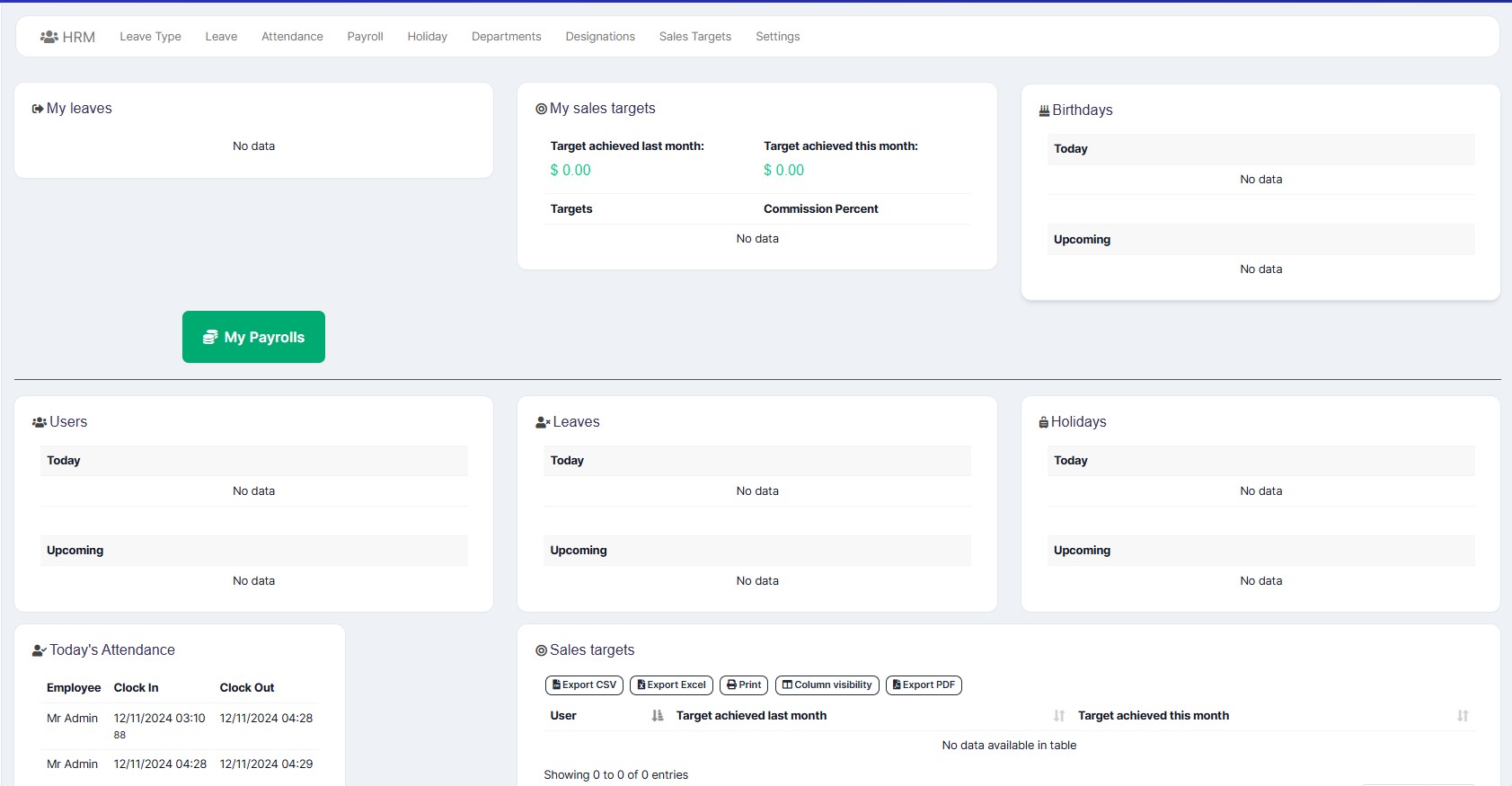
Deep CRM Software is designed for small business growth and full control. It helps you manage contacts, track leads, automate follow-ups, and view your entire sales pipeline in one place. It focuses on simplicity and daily sales productivity without extra complexity. Each CRM fits a different need. Some focus on simplicity, some on scale, and some on cost. The right choice depends on how your business sells and grows.
HubSpot CRM
HubSpot CRM is simple and beginner-friendly. It helps you manage contacts, emails, and basic sales tracking. It works well for startups that want quick setup.
Zoho CRM
Zoho CRM is strong for budget users. It offers deep customization and good control over workflows. Many small businesses use it to manage sales without high cost.
Salesforce
Salesforce is built for advanced business needs. It supports large teams, complex workflows, and deep analytics. It is powerful but needs more time to learn.
Pipedrive
Pipedrive focuses on sales pipelines. It shows deals in a visual format, making it easy to track progress and close sales faster.
Freshsales
Freshsales uses AI to help you manage leads and automate tasks. It is helpful for small teams that want smart insights without complexity.

How to Choose the Right CRM for Your Business
Choosing a CRM is not about trends. It is about your daily sales process. A wrong choice slows your team. A right choice improves speed and sales.
1. Define your goal
Start with your need. Do you want more leads, better follow-ups, or full sales tracking? Clear goals help you avoid tools that look good but solve nothing.
2. Set budget
Decide what you can spend monthly. Some tools are free at start, but cost grows later. Compare pricing with real usage, not marketing claims.
3. Check features
Focus on what you use daily. Look for contact management, pipeline tracking, automation, and reporting. Tools like Deep CRM Software give full control without extra complexity.
4. Test free trial
Do not buy before testing. Use the free version or trial. Add real leads. Check speed, ease, and workflow. If it feels hard, your team will struggle later.
5. Check scalability
Think long term. Your business will grow. Your CRM should grow with you. Make sure it supports more users, more data, and more automation without switching systems later.
Benefits of Using CRM Software for Small Business
- Better customer relationships: A CRM helps you keep every customer detail in one place. You respond faster and follow up on time. This builds trust and stronger long-term relationships. Tools like Deep CRM Software help you manage every interaction clearly.
- Higher sales conversion: A CRM tracks your leads and shows which deals are ready to close. You focus only on hot leads. This increases conversion rates without extra effort. Many teams using Deep CRM Software report faster deal closing due to better pipeline visibility.
- Time savings with automation: You reduce manual work like follow-ups and reminders. The system handles it for you. This saves hours every week and keeps your sales process active even when you are busy.
- Improved team collaboration: Everyone sees the same customer data. No confusion between team members. Sales, marketing, and support stay aligned. With Deep CRM Software, your whole team works from one shared system.
- Data insight and better decisions: You see reports on sales performance, lead sources, and customer behavior. This helps you make smarter decisions instead of guessing what works.
“Businesses that use CRM systems see stronger customer retention and higher sales efficiency,” reports Salesforce. Choosing the right CRM shapes how your business grows. A good system keeps your leads organized, your team aligned, and your sales process clear. A poor choice creates confusion and missed deals.
Focus on what your business needs today and what it will need in the next stage of growth. Small teams should start simple, then scale as demand increases. Tools like Deep CRM Software help you manage customers without extra complexity. Take action now. Test a CRM, check how it fits your daily work, and pick the one that supports your goals. The right choice will make your sales process faster, cleaner, and more consistent.
FAQ Section
What is the best CRM for beginners?
The best CRM for beginners is simple, easy to set up, and clear to use. Options like HubSpot CRM and Deep CRM Software work well because they do not need heavy training and help you manage leads from day one.
Is free CRM enough for small business?
Free CRM can work at the start. It helps you track basic leads and contacts. But as your business grows, you need more automation, reporting, and control. That is where tools like Deep CRM Software give better long-term value.
How much does CRM cost?
CRM cost depends on features and team size. Some tools start free, while advanced plans can go from low monthly fees to higher enterprise pricing. Small businesses often start low and upgrade as they grow.
Can CRM increase sales?
Yes. CRM helps you follow up on time, track leads, and close deals faster. As Salesforce reports, businesses using CRM systems can improve sales performance by up to 29%.
Which CRM is easiest to use?
The easiest CRM is one with a clean interface and simple setup. Many small businesses prefer Pipedrive and Deep CRM Software because they focus on clear pipelines and simple daily use.